
EGA cBioPortal
What is the EGA cBioPortal?
EGA hosts a dedicated cBioPortal instance that enables authorized researchers to explore and visualize selected cancer datasets archived at EGA. Data submitters can also contribute cancer datasets to be made available through the portal.
The platform provides interactive tools to analyse genomic and clinical data once access has been granted by the relevant Data Access Committee (DAC).
How to find and access an EGA cBioPortal Dataset
2. Go to the dataset page of interest. You can use the Search function to find datasets available in cBioPortal.
If the dataset is available on the EGA cBioPortal Instance, the cBioPortal icon will be displayed on the dataset page, as shown below:
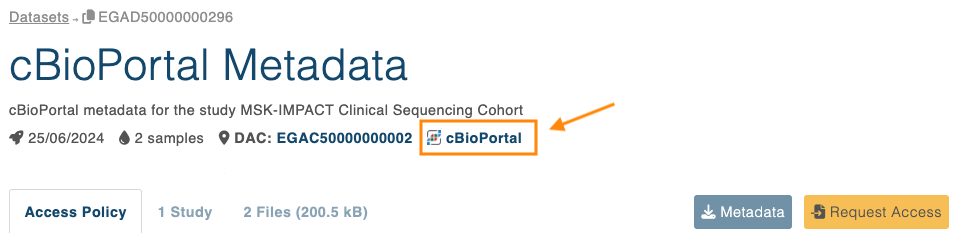
On the dataset page, you will find information about access requirements. For more details, please visit how to request access.
3. Once access has been granted
- Go to the EGA cBioPortal instance and log in with your EGA user account
- The approved dataset will be listed in cBioPortal
- Select the dataset to start exploring the data
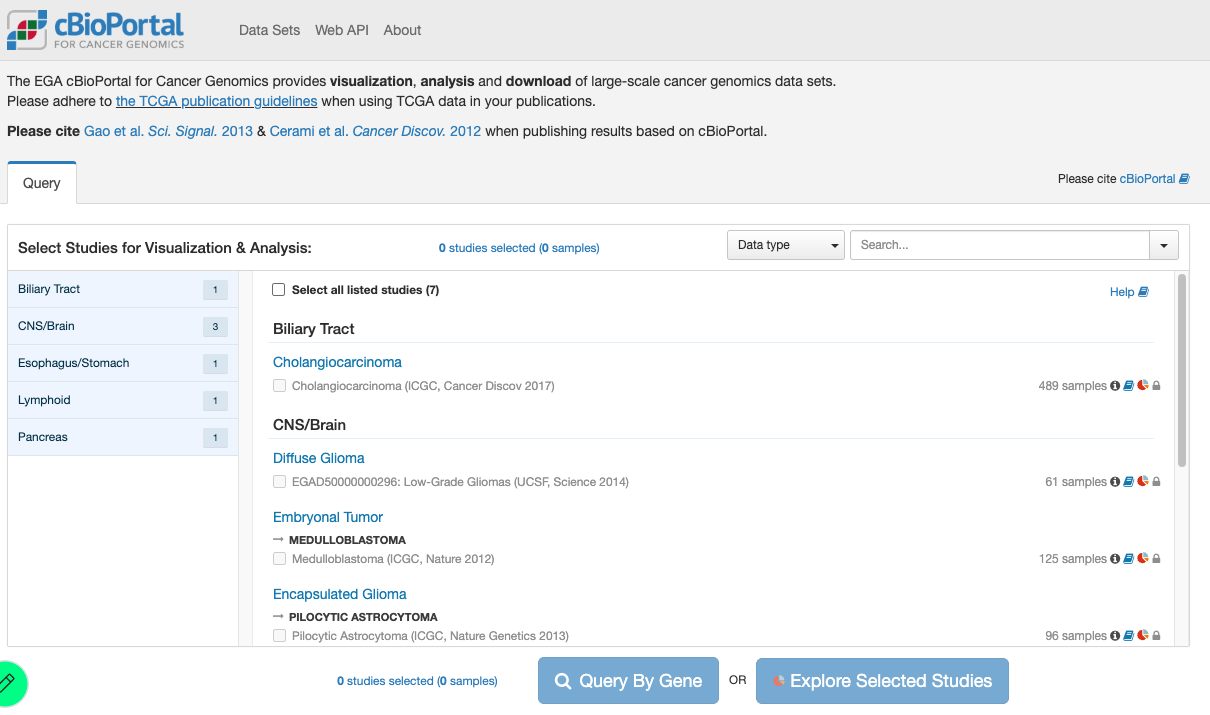
What you can do in cBioPortal
The EGA cBioPortal is designed for interactive exploration and visualization of controlled-access cancer datasets, including:
- Visualising genomic alterations
- Analysing mutation patterns
- Filtering by clinical attributes
- Comparing molecular profiles
- Generating plots and summaries
Important Notes
- Datasets are only visible in cBioPortal after DAC approval
- Access requests must always be submitted through the EGA website
If you encounter any issues gaining access to a dataset, please contact EGA Support.
If your question is related to the cBioPortal features, please reach out to: cbioportal@googlegroups.com. The EGA Helpdesk does not support this platform.
How to link a dataset to the EGA cBioPortal instance during a submission
STEP 0 – Verify the cBioPortal metadata
Follow the instructions at https://github.com/EGA-archive/ega-cbioportal to verify that your cBioPortal metadata can be successfully imported into the EGA.
STEP 1 – cBioPortal File Upload to EGA
Files must be uploaded to the SFTP INBOX. The supported cBioPortal file types are:
- Raw data (e.g., VCF files)
- cBioPortal-specific formats (e.g., MAF files)
STEP 2 – Register the cBioPortal dataset in the Submitter Portal
- Register the cBioPortal files in an analysis object
- Register a dataset with the title “cBioPortal Metadata” and include the analysis and nothing else
Please note that cBioPortal is not directly supported by the EGA Helpdesk. For questions about the platform, please visit the cBioPortal website or contact the cBioPortal support team at cbioportal@googlegroups.com. The EGA does not support this platform.